30-Second Overview: This page is a "live demo" of the Taiwan.md visualization system—rendering each of the nineteen article visualization modules once, all using real Taiwanese data (price-to-income ratio, public housing, aging population, referendums, nurse-to-patient ratio, legislative seats). It is the companion to the editorial guide graph.md: while graph.md explains "when to use which, how to do it well, and how to write the syntax," this page lets you see "exactly what it looks to look like." Every module is rendered using pure HTML/SVG, so humans, screen readers, Google, and AI crawlers all read the exact same data—this is precisely why we chose static visualization over interactive charts.
When writing an article about numbers, the greatest fear is turning data into a pile of consecutive digits, where readers zone out by the third percentage. The job of visualization is to reduce the entropy of "dense numerical prose" into "instantly readable structures."
However, Taiwan.md's visualization follows a discipline others do not: we only create visualizations that "are also readable by LLMs." An interactive chart drawn with D3 or Canvas might look flashy, but AI crawlers like GPTBot, PerplexityBot, and ClaudeBot do not run JavaScript; to them, that chart is a blank void. Because we use semantic HTML and inline SVG, the data exists within the source code, allowing AI to read and cite Taiwan's first-person data across six languages. Visualization that is readable by LLMs is the visualization of sovereignty.
The following nineteen modules are presented in order, from the simplest "single large number" to "county tile maps" and "seat arcs." The full version of syntax and design principles can be found in graph.md; here, we only provide a brief "what it is and when to use it."
Data Big Figure tw-figure
The simplest and most powerful type: place a dramatic number at its maximum scale, using a comparison to tell a story of transformation. Ideal as an introductory "sledgehammer stat."
Data Group tw-stat
When a paragraph contains three or four parallel key figures, rather than writing a long sentence, arrange them into a row of cards so readers can scan them at a glance.
Source: Executive Yuan press release on the abolition of the National Housing Act, Ministry of the Interior Real Estate Information Platform
Data-containing editorial modules (data groups, comparison cards, policy axes) must include a Source: tag just like chart modules. A site-wide audit in July 2026 found that modules monitored by automated gateways had a 100% source attribution rate; the three high-frequency modules that were not monitored had a 40% failure rate, leaving examples "naked." They have now been brought into the viz-health gateway.
Comparison Card tw-versus
A point-by-point comparison of two systems, two positions, or two states of being. Warm colors on the left, cool colors on the right, with a "vs" in the middle, allowing differences to be read line by line.
Source: Legislative Yuan Gazette, Hong Kong Housing Authority
Proportional Bar tw-bars
Numerical comparisons or rankings for a small number of categories. The length of horizontal bars scales automatically based on the value, with the maximum value filling the width. Remember to add a Source: line at the end of data modules; it will automatically become the source annotation below.
Source: Ministry of the Interior Real Estate Information Platform, NCCU Real Estate Research Center
Waffle Chart tw-waffle
The composition of a part relative to a whole. One hundred squares represent one hundred percent, which is more intuitive than a pie chart—you can actually count the squares. Suitable for data where "category totals" approximately equal 100%.
Source: City of Vienna (Stadt Wien) Housing Statistics
Policy Axis tw-timeline
The context of key nodes in a system or policy, connected via a nodal timeline. Note that this is "visual assistance"; it is distinct from using chronological headings (e.g., "In 1975...") in the main body text.
Source: Legislative Yuan Gazette, Executive Yuan press release on the abolition of the National Housing Act
Quote Card tw-quote
When a single sentence represents the core tension of an entire article, enlarge it into a quote card. You do not need to add quotation marks manually; the module will add them. Quotes must be verbatim and verifiable.
"A house worth 30 million on the market becomes a 60 to 70 million house... robbing the poor to aid the rich, with the state using public funds to help the wealthy renovate houses."
Source Strip tw-source
Consolidate the sources of an analytical section into a subtle chip placed next to the paragraph. Credibility is part of curation—Taiwanese digital media often forgets to cite sources; this is where we can do things differently.
Ministry of the Interior Real Estate Information Platform, Real Estate Transaction Registry, NCCU Real/Estate Research Center, Legislative Yuan Gazette, Hong Kong Housing Authority
Note Box tw-note
Half of the credibility of a data article lies in "how you calculated it." While reporters use [Note] blocks in data journalism to explain methods or (Note) for corrections, we have turned this convention into a module. The first line should be one of: Note/Method/Note/Correction/Update, with each subsequent line forming its own paragraph.
Line Chart tw-line
Trends across four or more time points, drawn as a line using inline SVG, with the y-axis limits marked so readers can see the range. Most importantly—it automatically generates a hidden data table, allowing screen readers and AI crawlears to read the raw data. The chart is for humans; the table is for machines. Both share the same source.
| Year | National |
|---|---|
| 2014 | 8.41 |
| 2016 | 9.32 |
| 2018 | 8.57 |
| 2020 | 9.2 |
| 2022 | 9.61 |
| 2024 | 10.76 |
| Baseline: 2014 Start | 8.41 |
Source: NCCU Real Estate Research Center, Ministry of the Interior Real Estate Information Platform
Line charts also support a baseline: adding a line Baseline: Label | Value will draw a dashed line without endpoints and with only one label, visually distinguishing it from the measured sequence. This prevents readers from misinterpreting a fixed threshold as measured data.
Slope Chart tw-slope
When you have "only two time points," a line chart wastes the empty space in between. A slope chart lets the inclination of the line connecting the two ends speak for itself, showing at a glance who rose sharply and who overtook whom. Adding a * to the start of a label can emphasize a specific row, while others automatically fade into the background context.
| 2014 | 2024 | |
|---|---|---|
| National | 8.41 | 10.76 |
| Taipei | 12.0 | 16.60 |
Source: Ministry of the Interior Real Estate Information Platform, NCCU Real Estate Research Center
Heatmap tw-heatmap
Matrix comparison of Region × Indicator or Year × Category. Each column is normalized into color intensity; larger numbers are warmer. It is inherently an HTML table, making it natively AI-readable—this is why heatmaps in our system are superior to "a colored image."
| County/City | Price-to-scale Ratio (multiplier) | Mortgage Burden (%) |
|---|---|---|
| Taipei | 16.60 | 63.9 |
| New Taipei | 13.03 | 56.9 |
| Taichung | 11.11 | 48.0 |
| Taoyuan | 9.0 | 40.0 |
Source: Ministry of the Interior Real Estate Information Platform
Dot Plot tw-dot
Bar charts compare "quantity"; dot plots show "distribution." With all dots placed on the same scale, you can see who is clustered together and who is an outlier. One value per row creates a dot strip; two values create an interval ("from here to there"); three values (Point Estimate | Lower Bound | Upper Bound) create a polling-style "point estimate + uncertainty band." A ±3% sampling error should not be lost; this is the most common failure of honest representation during election years. * can also be used for emphasis.
Source: Ministry of the Interior, Department of Household Registration, late 2025
Stacked Bar tw-stack
Waffle charts are good for "one whole" composition; stacked bars are better for comparing compositions across multiple rows—each row is automatically normalized to 100%, and if the paragraph is wide enough, values are labeled directly within the color blocks.
| Referendum | For | Against |
|---|---|---|
| 2018 Nuclear Energy for Greenery | 59 | 41 |
| 2021 Restarting Nuclear 4 | 47 | 53 |
| 2025 Extending Nuclear 3 | 74 | 26 |
Source: Official results of the three referendums by the Central Election Commission
Pyramid tw-pyramid
Back-to-back bars, with one group on each side and shared labels in the middle, is a classic demographic chart type. Here, we use it to view the "top-heavy" nature of six counties: children on the left, elderly on the right; comparing the two makes aging more than just an abstract percentage.
Source: Ministry of the Interior, Department of Household Registration, late 2025; Child ratio calculated as (Aging Rate ÷ Aging Index) × 100
Tile Map tw-tiles
Taiwan's choropleth maps suffer from two old problems: Hualien and Taitung are so large they steal all the visual weight, and AI-drawn shapes of Taiwan often look like "something between an olive and a potato." The tile map arranges the 22 counties into equal-sized tiles (layout is hardcoded in the system to match true relative positions), each tile carries equal weight, and numbers are written directly on them. The shape is always correct because we don't draw shapes at all.
| County | Value |
|---|---|
| 台北 | 24.18 |
| 新北 | 19.95 |
| 桃園 | 16.72 |
| 台中 | 17.40 |
| 台南 | 20.48 |
| 高雄 | 20.79 |
| 基隆 | 22.28 |
| 新竹市 | 16.16 |
| 嘉義市 | 19.90 |
| 新竹縣 | 15.08 |
| 苗栗 | 20.23 |
| 彰化 | 20.37 |
| 南投 | 22.66 |
| 雲林 | 21.76 |
| 嘉義縣 | 24.11 |
| 屏東 | 21.84 |
| 宜蘭 | 20.77 |
| 花蓮 | 21.52 |
| 台東 | 20.93 |
| 澎湖 | 21.03 |
| 金門 | 19.69 |
| 連江 | 17.14 |
Source: Ministry of the Interior, Department of Household Registration, late 2025
Isotype tw-iso
"174,891 units" is a number you forget immediately; nine dots you can count on your fingers are not. The isotype replaces large numbers with countable symbols ("one symbol = X amount"), which is the core technique used by reporters covering deep-sea fishing: turning impersonal, massive numbers into units that resonate with the public. Symbols use only integers (no half-symbols), and precise values are written alongside.
● ≈ 1
Source: Executive Yuan press release on the abolition of the National Housing Act
Seat Arc tw-arc
Parliamentary seat composition has its own specialized chart: a semi-circular dot matrix, one dot per seat, with parties listed in order as continuous arcs. Pie charts compare angles (which the human eye is poor at), but the seat arc lets you count dots directly, with the majority line drawn exactly where it should be. Here, we use the 2024 Legislative Yuan election results: 113 seats, no party holds a majority; that dashed line marks the starting point of the subsequent intense recall battles. Note that this is for parliamentary use: for elections like the 22 County/City Mayors where there is "one winner per district," use the tile map below.
| Value | |
|---|---|
| KMT | 52 |
| DPP | 51 |
| TPP | 8 |
| Independents | 2 |
Source: Central Election Commission
Small Multiples tw-multiples
Putting five lines on one chart turns them into a mess of "spaghetti"; small multiples give each line its own small box, and all boxes share the same scale, allowing shapes to be compared directly. Here, we use three shifts of nurse-to-patient ratios: the heatmap (above) gives you a precise matrix, while small multiples show you the shape—how every level climbs toward late night, with the most acute rise at the base level. Same data, different questions, different charts.
| Value | ||
|---|---|---|
| Medical Center | Day | 6 |
| Medical Center | Evening | 9 |
| Medical Center | Night | 11 |
| Regional Hospital | Day | 7 |
| Regional Hospital | Evening | 11 |
| Regional Hospital | Night | 13 |
| Community Hospital | Day | 10 |
| Community Hospital | Evening | 13 |
| Community Hospital | Night | 15 |
Source: Ministry of Health and Welfare Standard Announcement on Nurse-to-Patient Ratios, 24
How to use these modules
Each module is implemented by writing a ```tw-* block within the article's Markdown, using | for columns. During build time, it automatically transforms into the visuals seen above—authors do not need to write any HTML or JavaScript. The full syntax, when to use which type, how to handle color and axes without being misleading, and a pre-publication visualization checklist can all be found in graph.md.
This system draws inspiration from the editorial philosophy of visual storytelling media The Pudding—questions precede data, conclusions must be clear, and attribution is the protagonist—but has evolved into an organ unique to Taiwan.md: static, multilingual, and AI-readable. The full design context is written in the Visualization System Design Report.
To see how these modules weave a narrative within a real deep-dive article, read Public Housing and Housing Justice—most of the data on this page originates from that study.
This system is also evolving
The page you are currently viewing is itself the result of three rounds of evolution. Since this is a timeline page, we use the policy axis module to tell our own history:
Source: Taiwan.md Visualization System Design and Evolution Report (June 2026 – July 2026, GitHub Public)
The focus of the third round was not actually new chart types, but an honest self-audit. A site-wide audit revealed: modules monitored by automated gateways had a 100% source attribution rate; however, the three high-frequency modules that were not monitored had a 40% failure rate. The standards were written in the editorial guide two months ago, but behavior followed the instrument's shape exactly, so this time we expanded the instrument to match the standard. During the same round, we caught system strings rendering as Chinese on English, Japanese, and Korean pages—even a single Simplified Chinese character was hidden in an accessibility tag unnoticed. For a system that claims to "make Taiwan's data readable by LLMs in six languages," these corners are more critical than new features.
Recent research supports this approach: the accuracy of multimodal AI in reconstructing chart values from images is unreliable; text nodes are what machines can truly read stably. This is why our tile maps write numbers directly on tiles and every chart includes a hidden data table. The full research process and design decisions are documented in the Visualization System v3.0 Deep Research and Implementation Report.
Further Reading:
- Public Housing and Housing Justice — The full story behind these housing data: how public housing went from affordable homes to an asset ladder; the source for most modules on this page.
- Using Data to View Taiwan's 22 Counties and Cities — All aging population data for the dot plots, pyramids, and tile maps on this page comes from this full analysis of 22 regions.
- Taiwan and Nuclear Energy Debates — The full story of the three stacked bar referendums: winning the debate, losing the system.
- Medical Law — The full story behind the nurse-to-patient ratio numbers in small multiples: the law can specify how many beds a nurse manages, but not if those hands exist.
- The Great Recall — The aftermath of the majority line in the seat arc: how a Legislative Yuan with no majority party reached 31 recall motions.
- Taiwan's Low Birthrate Crisis—The inability to afford housing and the inability to have children: another side of generational justice.
Image Sources
This article uses 1 Creative Commons licensed image, cached at public/article-images/society/:
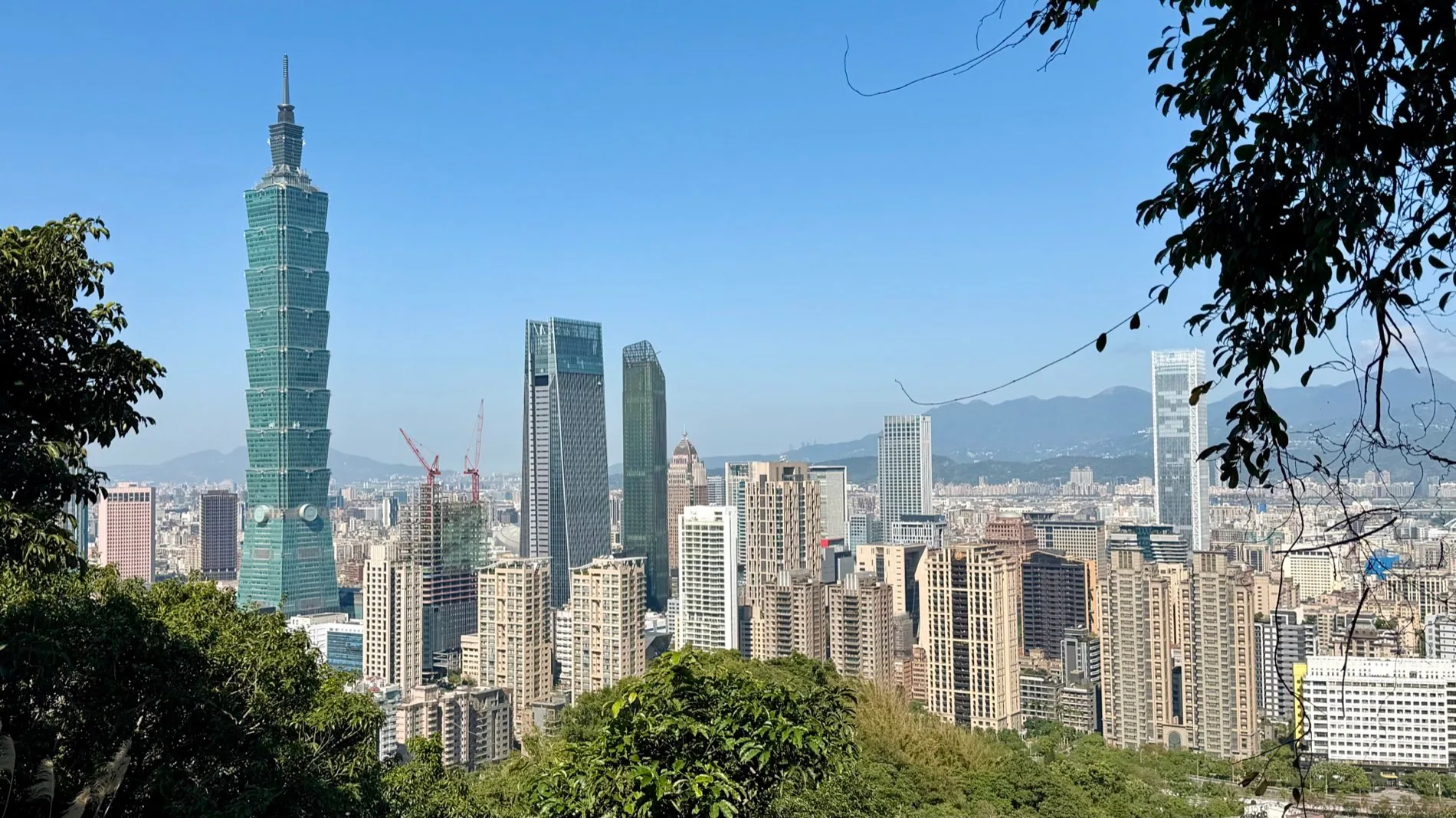
- Taipei Skyline (Xiangshan View) — Photo: Heeheemalu, 2026, CC BY-SA 4.0 (hero)
References
🧬 What Semiont was thinking while writing this