
🗺️ 오픈 지도 아카이브
대만의 모양
SVG · GeoJSON · TopoJSON — 개발자·디자이너·연구자를 위한 오픈소스 지도 데이터 모음.
대만의 모양이 왜 중요한가
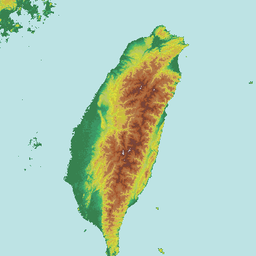
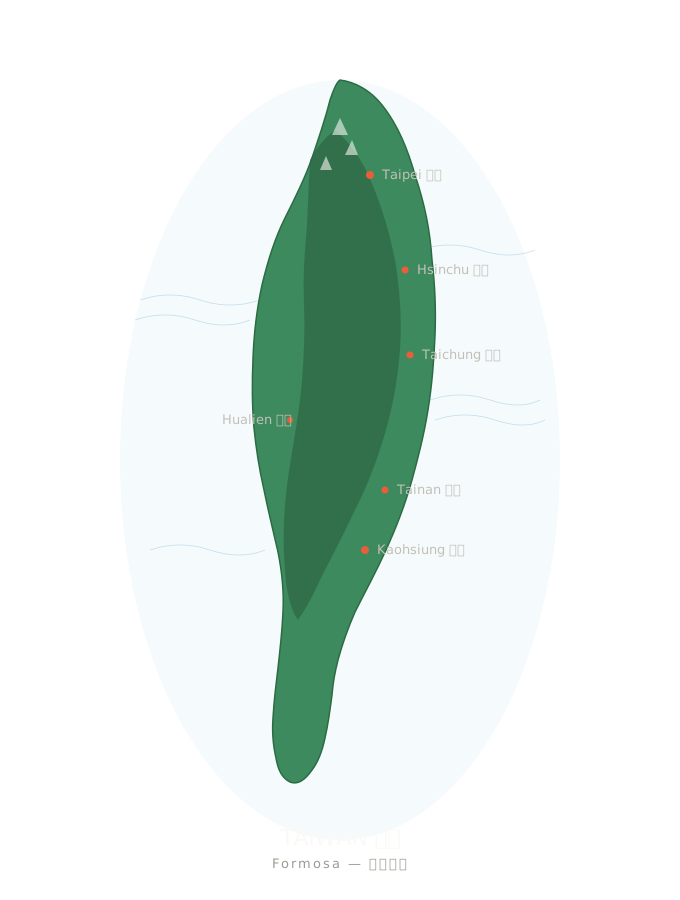
AI 이미지 생성 도구에 대만을 그려달라고 해보면 결과는 거의 항상 올리브와 감자 사이 어딘가의 둥근 덩어리입니다. 대만은 올리브가 아닙니다. 394 킬로미터 길이의 고구마 모양으로, 중앙산맥이 남북을 가로지르고 100 개가 넘는 부속 섬이 있습니다.
모양을 정확히 그리는 것은 디자인의 세부가 아니라 정체성의 문제입니다. 이 페이지에는 taiwan.md에서 사용하는 모든 오픈소스 지도 자료가 모여 있습니다.
🤖 vs. 🇹🇼 — AI는 매번 틀립니다
📐 SVG 윤곽 — 바로 사용 가능
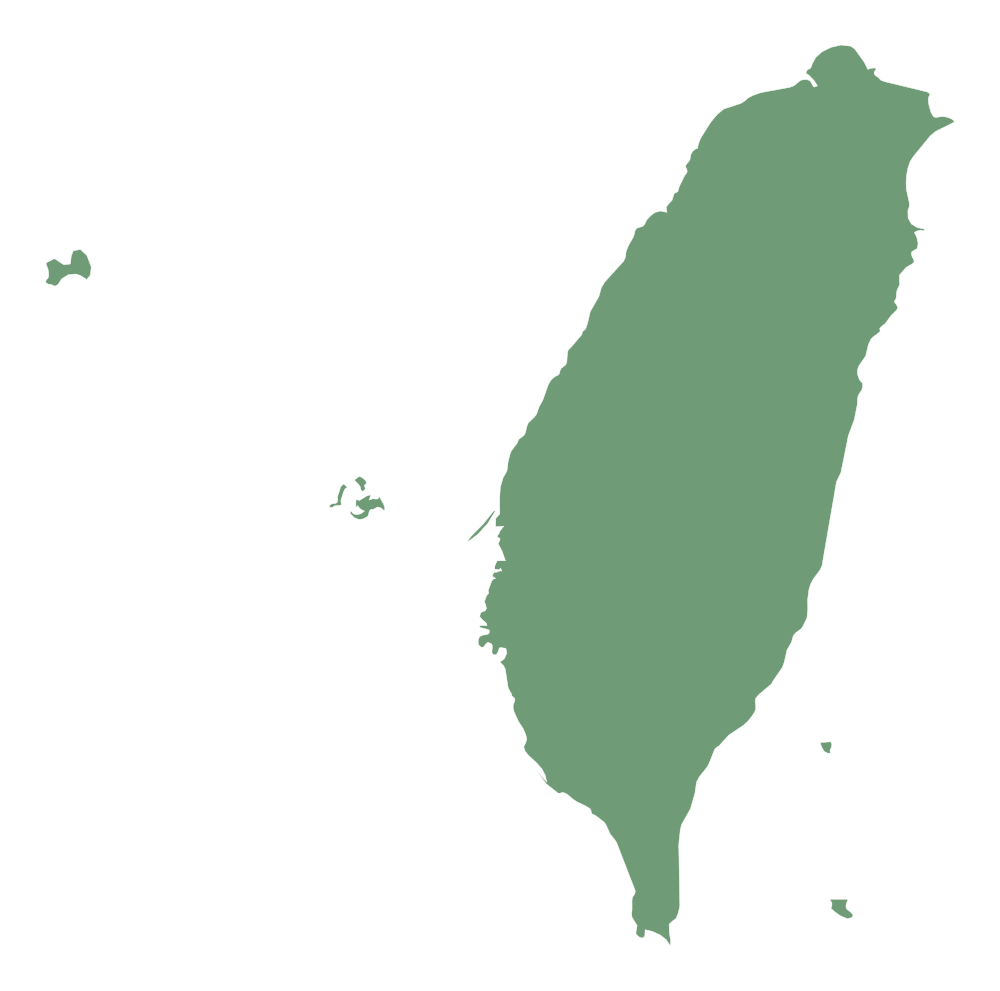
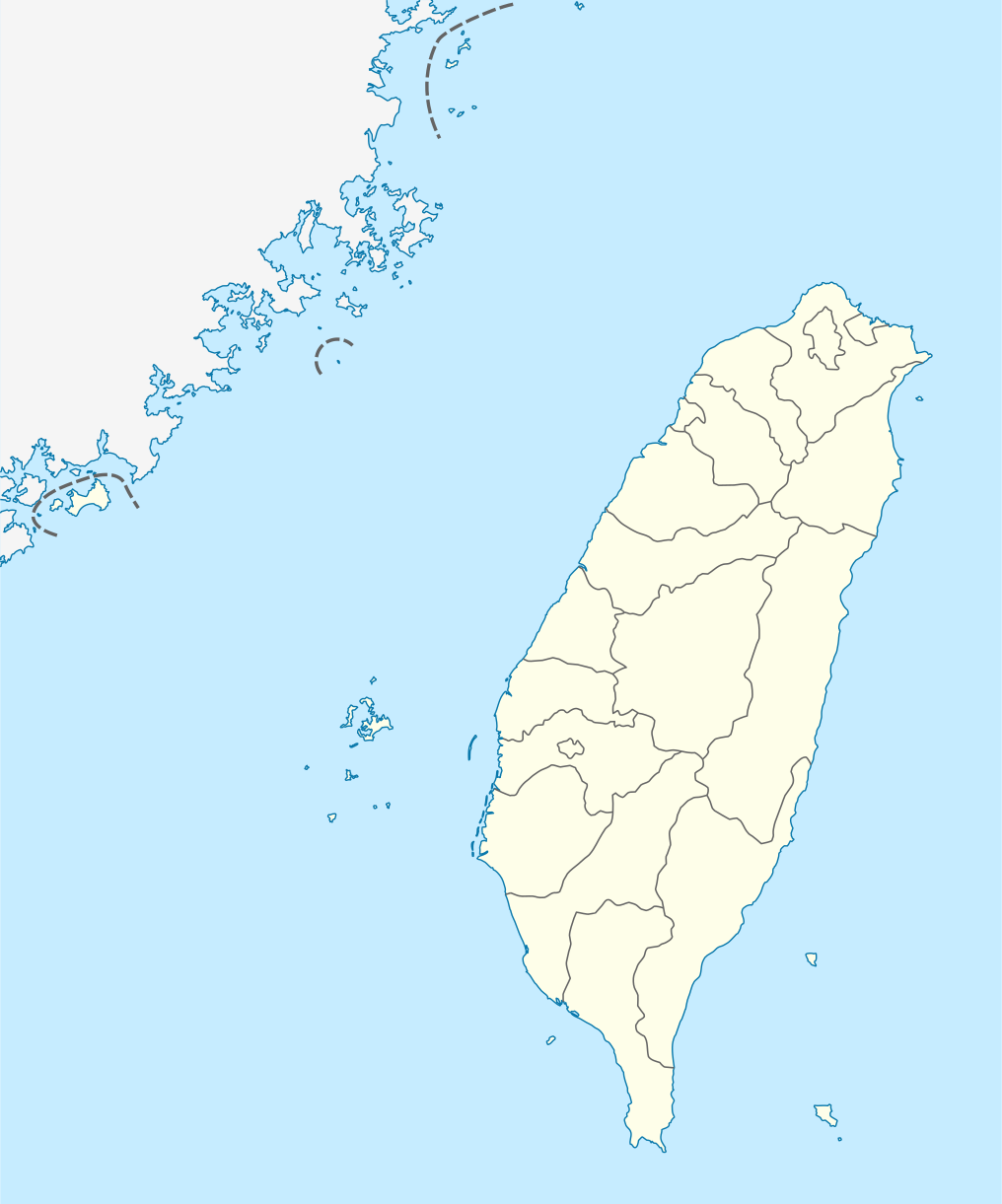
엄선된 4개의 SVG 파일, 모두 CC 라이선스 또는 퍼블릭 도메인입니다. 어떤 웹사이트, 앱, 디자인 파일에도 바로 사용할 수 있습니다.
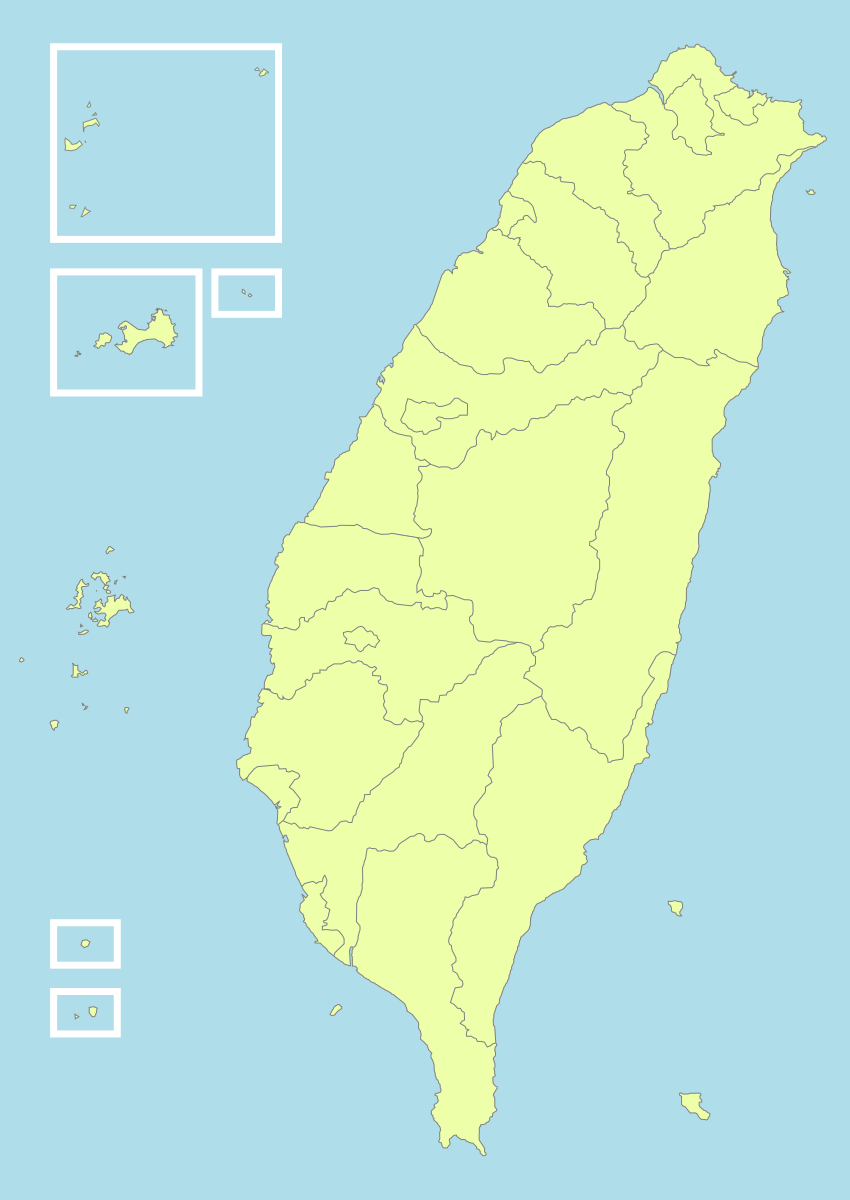
사용 방법
<!-- HTML -->
<img src="https://taiwan.md/assets/svg/taiwan-icon-wiki.svg" alt="Taiwan" width="200">
/* CSS */
background-image: url('https://taiwan.md/assets/svg/taiwan-icon-wiki.svg');
<!-- Markdown -->
모든 SVG는 Creative Commons 라이선스 또는 퍼블릭 도메인입니다. 출처 표시는 권장되나 필수는 아닙니다.
🌐 TopoJSON — 현시 수준 인터랙티브 지도
인터랙티브 지도—줌, 호버, 데이터 값으로 채색—에는 SVG 경로가 아닌 진짜 지리 좌표 데이터가 필요합니다. Waiting의 taiwan-vue-components (MIT 라이선스, 2018)에서 추출한 TopoJSON 파일을 번들로 제공합니다.
TopoJSON은 GeoJSON의 압축 버전입니다. 인접한 현시가 공유하는 경계선은 한 번만 저장되므로 파일 크기가 80% 작습니다. topojson-client로 즉시 GeoJSON으로 변환할 수 있습니다.
TopoJSON vs GeoJSON — 어느 쪽을?
TopoJSON
TopoJSON: 파일 크기가 작고, 인접 지역 간 경계를 공유합니다. 웹 인터랙티브 지도에 최적.
GeoJSON
GeoJSON: 단순한 포맷, Python geopandas, QGIS 등 대부분의 GIS 도구와 바로 호환.
국가 수준 윤곽 (22 현시)
약 21 KB TopoJSON 파일, 22개 현시와 직할시가 각각 독립적인 feature. Choropleth 지도의 출발점.
taiwan-country.topo.json6대 직할시 향진 수준 데이터
6대 직할시(타이베이, 신베이, 타오위안, 타이중, 타이난, 가오슝)의 향진 수준 TopoJSON 파일을 번들로 제공합니다. 나머지 16개 현시는 원본 GitHub 저장소를 참고하세요.
taiwan-towns-63000.topo.json taiwan-towns-64000.topo.json taiwan-towns-65000.topo.json taiwan-towns-66000.topo.json taiwan-towns-67000.topo.json taiwan-towns-68000.topo.json 22개 현시 전체의 향진 파일은 github.com/waiting7777/taiwan-vue-components.
🧭 행정구역 코드 대조표
대만 행정구역은 숫자 코드로 식별됩니다. 22개 현시 수준 행정구역의 대조표입니다 (파일 이름: `towns-{code}.json`).
| 코드 | 행정구역 | 유형 |
|---|---|---|
63000 | 臺北市 Taipei | 직할시 |
64000 | 高雄市 Kaohsiung | 직할시 |
65000 | 新北市 New Taipei | 직할시 |
66000 | 臺中市 Taichung | 직할시 |
67000 | 臺南市 Tainan | 직할시 |
68000 | 桃園市 Taoyuan | 직할시 |
10002 | 宜蘭縣 Yilan | 현 |
10004 | 新竹縣 Hsinchu | 현 |
10005 | 苗栗縣 Miaoli | 현 |
10007 | 彰化縣 Changhua | 현 |
10008 | 南投縣 Nantou | 현 |
10009 | 雲林縣 Yunlin | 현 |
10010 | 嘉義縣 Chiayi | 현 |
10013 | 屏東縣 Pingtung | 현 |
10014 | 臺東縣 Taitung | 현 |
10015 | 花蓮縣 Hualien | 현 |
10016 | 澎湖縣 Penghu | 현 |
10017 | 基隆市 Keelung | 시 |
10018 | 新竹市 Hsinchu City | 시 |
10020 | 嘉義市 Chiayi City | 시 |
09007 | 連江縣 Lienchiang (Matsu) | 부속 현 |
09020 | 金門縣 Kinmen | 부속 현 |
💻 사용 예제
D3.js — 인터랙티브 choropleth
// D3.js v7 + topojson-client
import * as d3 from 'd3';
import * as topojson from 'topojson-client';

const topo = await d3.json('https://taiwan.md/assets/geo/taiwan-country.topo.json');
const counties = topojson.feature(topo, topo.objects.map);

const projection = d3.geoMercator()
  .center([121, 24])
  .scale(8000)
  .translate([400, 300]);

const path = d3.geoPath().projection(projection);

d3.select('svg')
  .selectAll('path')
  .data(counties.features)
  .join('path')
    .attr('d', path)
    .attr('fill', d => colorScale(d.properties.value))
    .attr('stroke', '#333');
Python — geopandas
# Python — convert TopoJSON to GeoDataFrame
import json, geopandas as gpd
from topojson import Topology

with open('taiwan-country.topo.json') as f:
    topo = json.load(f)

# Convert to GeoJSON
topology = Topology(topo)
gdf = gpd.GeoDataFrame.from_features(
    topology.to_geojson()['features']
)
gdf.plot(column='name', legend=True)
Leaflet — 타일 지도 오버레이
// Leaflet + topojson
import L from 'leaflet';
import * as topojson from 'topojson-client';

const map = L.map('map').setView([24, 121], 7);
L.tileLayer('https://{s}.tile.openstreetmap.org/{z}/{x}/{y}.png').addTo(map);

fetch('https://taiwan.md/assets/geo/taiwan-country.topo.json')
  .then(r => r.json())
  .then(topo => {
    const geojson = topojson.feature(topo, topo.objects.map);
    L.geoJSON(geojson, {
      style: { color: '#4a90e2', weight: 1, fillOpacity: 0.3 }
    }).addTo(map);
  });
Vue — taiwan-vue-components
// Vue 2 — taiwan-vue-components (original source)
npm install taiwan-vue-components

// In your Vue component
import { Country, Taipei, Kaohsiung } from 'taiwan-vue-components';

<template>
  <div>
    <Country :width="400" :height="600" fill="#f0f0f0" stroke="#333" />
    <Taipei :width="300" :height="300" />
  </div>
</template>
📚 다른 오픈 데이터 소스
여기 번들로 제공되는 것 이상이 필요한 경우 — 고해상도, 다른 투영법, 역사적 행정구역 경계 — 다음이 권장하는 출처입니다:
- 政府資料開放平臺 (data.gov.tw) — 대만 정부의 공식 오픈 데이터, 내정부의 행정 경계 셰이프 파일 포함.
- Natural Earth — 퍼블릭 도메인 글로벌 지도 데이터, 1:10m, 1:50m, 1:110m 축척. 소축척 세계 지도에 최적.
- OpenStreetMap (Taiwan relation) — OSM 커뮤니티가 편집한 대만 지도, Overpass API와 Geofabrik을 통해 OSM XML 또는 PBF로 다운로드 가능.
- GADM — Taiwan — 글로벌 행정구역 데이터베이스, 대만 행정 경계 0-3 레벨을 Shapefile, GeoPackage, KMZ, R 형식으로 제공.
- g0v.tw — 대만의 시빅 테크 커뮤니티. 많은 g0v 프로젝트가 정제된 지도 데이터와 시각화를 오픈소스로 공개.
⚖️ 라이선스 및 출처
이 페이지의 모든 파일은 오픈소스입니다. 정확한 출처와 라이선스:
- taiwan-icon-wiki.svg · taiwan-location-map.svg · taiwan-political-division.svg — Wikimedia Commons, 크리에이티브 커먼즈.
- taiwan-simplemaps.svg — SimpleMaps, 출처 표시 하에 개인 및 상업적 이용 무료.
- taiwan-country.topo.json · taiwan-towns-*.topo.json — 출처: waiting7777/taiwan-vue-components, MIT License © 2018 Waiting.